Create a redaction project
Create a project and upload documents that need redaction. Archer processes text-heavy and image-heavy pages, then turns different file types into an indexed PDF binder.
Context-aware document redaction
Archer Redact is a collaborative workspace where teams work with AI to identify, mark up and redact sensitive information in documents.
The workflow
Create a project, set what needs redacting, then review and finalise every change together.
Create a project and upload documents that need redaction. Archer processes text-heavy and image-heavy pages, then turns different file types into an indexed PDF binder.
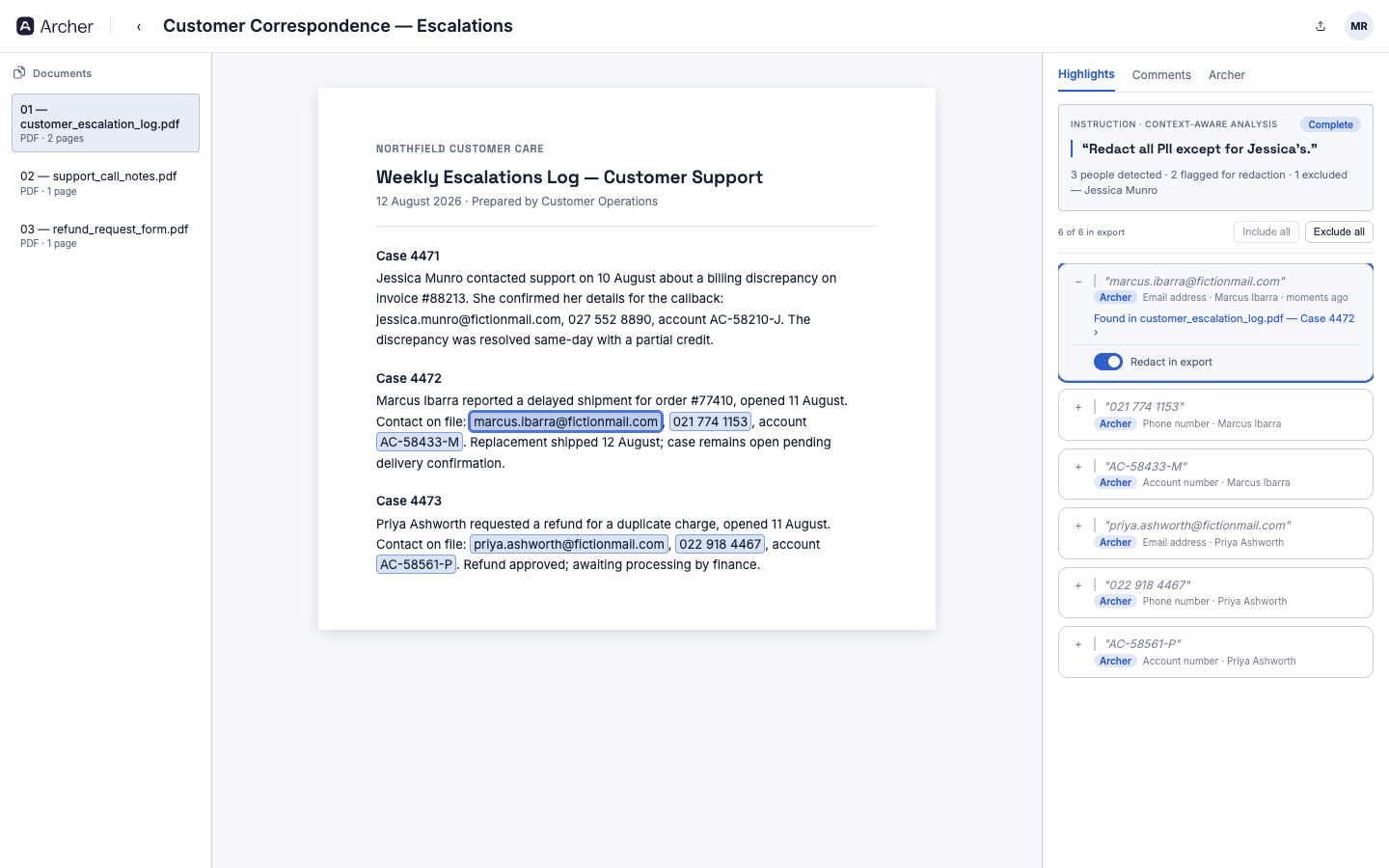
Tell Archer what to find—and what to keep—in plain language. It proposes relevant redactions in context, ready for your team to inspect.
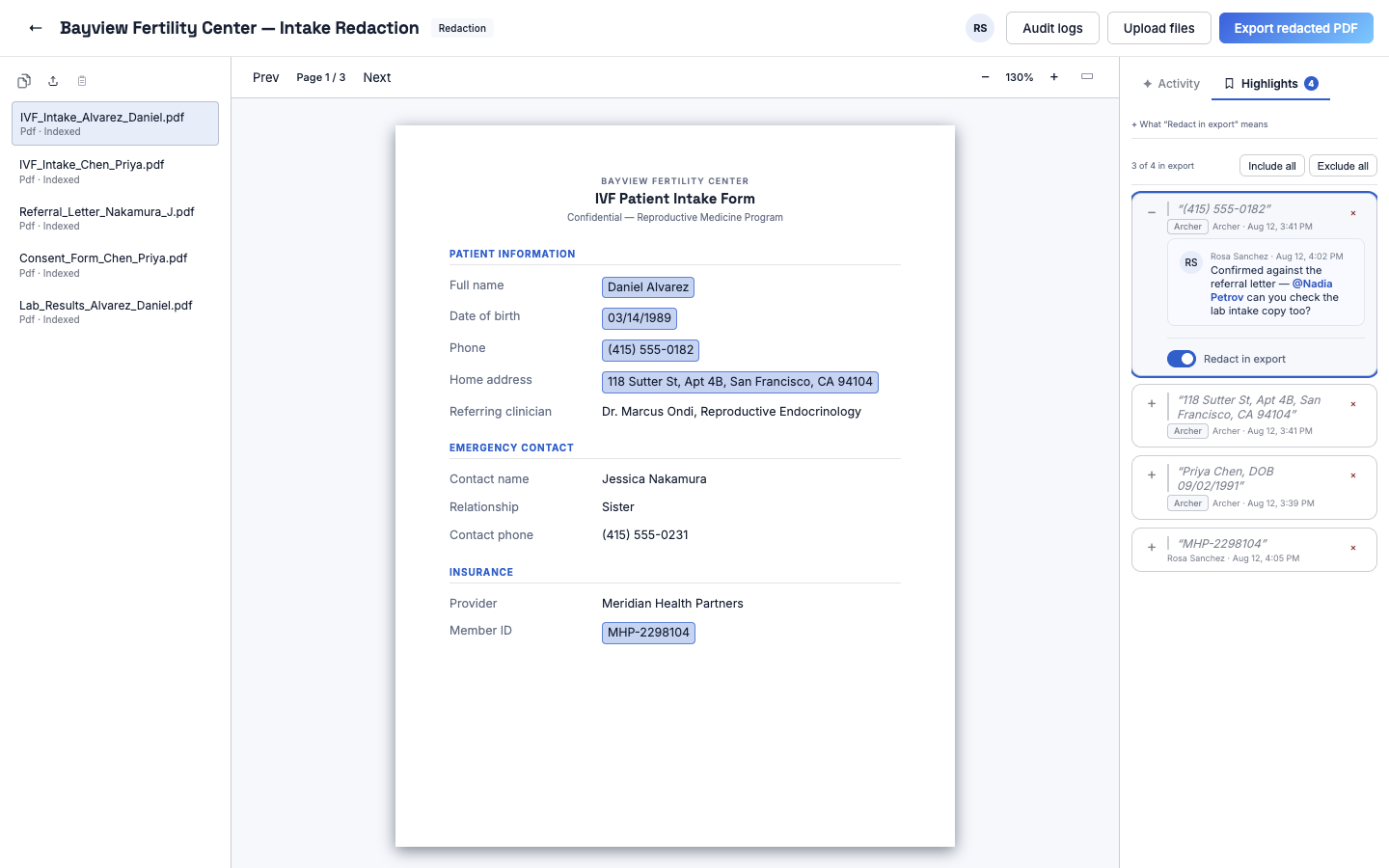
Team members review each proposed redaction in its source context, comment and decide what is applied before a flattened PDF is exported.
Context-aware review
The document and right-hand review panel work together. Selecting a finding returns the reviewer to the relevant page and context, while comments and authorship remain attached to the highlight.
Private cloud deployment
Archer is deployed inside the customer’s cloud environment and reached through the customer’s private network path. The customer controls identity, private connectivity and security policy.
Built for controlled document work
Archer is suited to repeated review of forms, correspondence, case files and scanned records. It is already used in IVF document workflows where context and careful review matter.
Describe both the redaction requirement and the exception instead of building a brittle list of rules for every document set.
Multiple team members can work in the same binder, leave comments and track which findings will be included in export.
See Archer Redact
See document intake, context-aware instructions, collaborative findings and flattened export in your cloud deployment model.
Request an Archer Redact walkthrough